
Turn Your Daily To-Do List into a Prioritized Schedule with ChatGPT

 Published by CodeNicely, the product studio founded by Meghal Agrawal and Ujjwal Agrawal in 2017
For: An operations manager at a 15-person logistics company who juggles vendor calls, internal requests, and admin work, starts every morning with a chaotic list of 20+ tasks, and regularly ends the day having handled whatever felt urgent rather than what actually mattered
In this guide
By the end of this tutorial, you'll paste your raw morning task dump into ChatGPT and get back a fully time-blocked daily schedule — ranked by urgency and impact, slotted around your real meetings, with buffer time built in. Setup takes about 15 minutes once; after that you'll run it in under 10 minutes every morning.
Last verified: November 2026, against the tools' own documentation. AI tools change often — if a step no longer matches, check the sources at the end.
Who this is for, and what you'll get
This is for operations managers, team leads, and small-business owners who start every day with a long, unordered list of vendor calls, internal requests, approvals, and admin — and keep ending the day having done whatever shouted loudest. If that's you, you'll walk away with a repeatable ChatGPT prompt that produces a schedule like this:
- Tasks ranked by urgency and impact, not just one or the other.
- Specific time blocks (e.g. 9:15–9:45) that respect your existing meetings.
- Deep-work tasks placed when your energy is highest, admin batched together.
- Explicit buffer slots so one late vendor call doesn't blow up the day.
- Tasks you should drop, defer, or delegate — flagged with reasons.
Most productivity tutorials stop at "ask ChatGPT to prioritize your tasks." A flat ranked list still leaves every scheduling decision to you. The unlock is prompting ChatGPT to output a time-blocked calendar in one pass — accounting for energy, meeting gaps, and dependencies together.
What you need
Just one tool. No paid upgrade required for this workflow.
| Tool | Plan needed | Cost |
|---|---|---|
| ChatGPT | Free plan is enough | $0 |
Why Free works: this is a pure text task — no file uploads, no images, no voice. As of August 2026, ChatGPT's Free plan supports unlimited everyday text chats (subject to abuse guardrails), which covers daily scheduling without issue. If you want to upgrade later for persistent memory or to remove ads, Go is $8/month and Plus is $20/month per OpenAI's current pricing page. For most readers, Free is genuinely enough here.
Step-by-step: build your morning scheduling routine
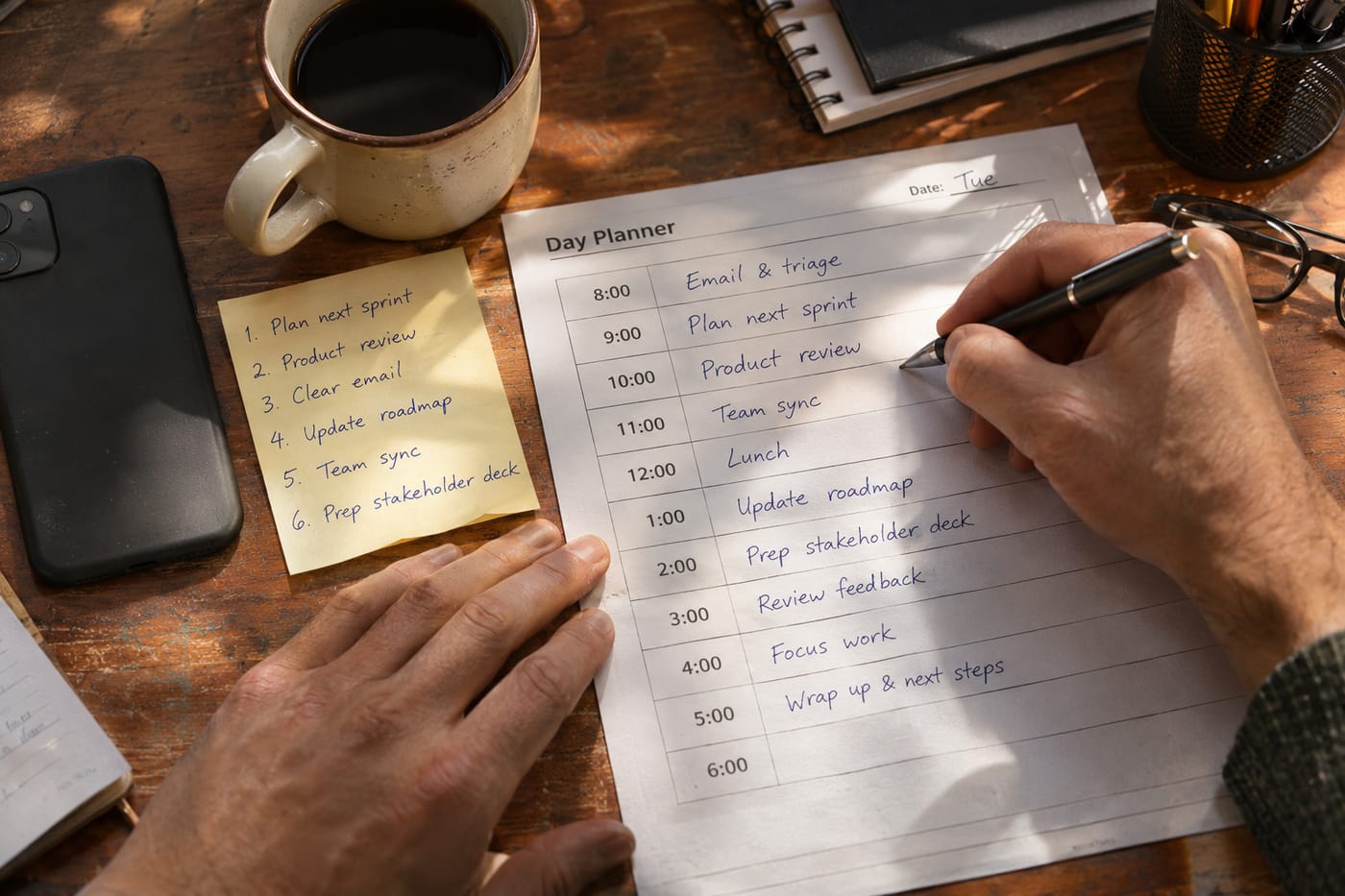
- Open ChatGPT and start a new chat. Go to chatgpt.com and sign in to your free account. Start a fresh conversation so previous context doesn't bleed in.
- Prime ChatGPT with your working context — once. Before you paste today's list, give it the stable facts about how you work. You'll reuse this.
I'm the operations manager at a 15-person logistics company. My working hours are 8:30 AM to 6:30 PM, with a 30-minute lunch around 1:00 PM. My energy is highest from 9:00–11:30 AM (best for deep work), dips after lunch (good for calls and admin), and recovers slightly from 4:00–5:30 PM. I need at least two 15-minute buffer blocks per day for unexpected vendor issues. I prefer to batch similar work (all vendor calls together, all approvals together). When you build my schedule, use the Eisenhower logic (urgent vs important) but combine it with impact on the business — a task that unblocks three people beats a task that only affects me.
- Paste your raw task dump. Don't tidy it. Messy is fine — ChatGPT will do the sorting. Include fixed meetings with their times. Example:
Here's today's list, unordered:
- Call Mahindra Freight re: delayed invoice
- Approve 3 leave requests in HR system
- Review Q4 route optimization draft from Priya
- 10:30 AM standup (30 min, fixed)
- 2:00 PM vendor demo with FleetLogix (45 min, fixed)
- Respond to CEO's email about warehouse lease
- Update driver incentive spreadsheet
- Check in with Rakesh on the Bangalore route complaint
- Book flights for next week's Chennai visit
- Review and sign fuel vendor contract
- Prep talking points for Thursday's board update
- Reply to 6 pending internal Slack DMs
- Call insurance broker re: policy renewal
- Reconcile petty cash receipts
- Draft SOP for new onboarding process - Ask for the schedule in a specific output format. This is where most people under-prompt. Tell ChatGPT exactly what the output should look like.
Build me a time-blocked schedule for today from 8:30 AM to 6:30 PM. Requirements:
1. Rank each task by urgency AND business impact. Explain any task you deprioritize in one line.
2. Place deep-work tasks in my 9:00–11:30 AM window.
3. Batch admin, Slack replies, and approvals into one or two blocks.
4. Put calls in the post-lunch dip.
5. Respect the 10:30 standup and 2:00 PM demo as fixed.
6. Include two 15-minute buffer blocks.
7. Estimate realistic durations — most people underestimate; add 20% padding.
8. Flag anything I should delegate, defer, or drop with a reason.
9. Output as a table: Time | Task | Why now | Duration.
10. End with a 3-bullet summary: top 3 things that MUST happen today. - Review the output and push back. ChatGPT's first pass is a draft. Challenge it in the same chat: "The vendor contract review should actually happen before the FleetLogix demo — can you swap?" or "I don't have 45 minutes for the SOP draft today — defer it." Iterate until the schedule matches reality.
- Copy the schedule out. ChatGPT has no one-click export for a single chat. Select the table, copy it, and paste into your calendar, Notion, or a sticky note. If you do this every day, a third-party browser extension (ChatGPT Exporter, ChatCache, and others) can add per-conversation export to PDF, Markdown, or DOCX — these are not official OpenAI features, so vet them before installing.
- Save your priming paragraph. Keep step 2's context paragraph in a note somewhere (Apple Notes, a pinned Slack message to yourself). Each morning, paste it, then paste your task dump, then paste your format request. Three paste operations, one schedule.
A worked example
Here's what a realistic output looks like for the task list above. This is illustrative — your real output will vary based on the day — but it shows the shape of "good."
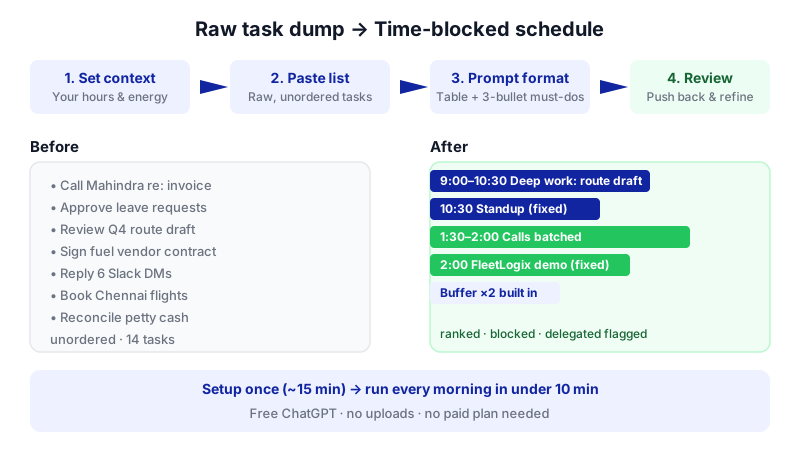
| Time | Task | Why now | Duration |
|---|---|---|---|
| 8:30–9:00 | Review Q4 route optimization draft from Priya | High impact, needs focus; unblocks Priya | 30 min |
| 9:00–10:15 | Review and sign fuel vendor contract + prep board talking points | Peak-energy deep work; both are high-stakes | 75 min |
| 10:15–10:30 | Buffer | Reset before standup | 15 min |
| 10:30–11:00 | Standup (fixed) | — | 30 min |
| 11:00–11:30 | Respond to CEO email re: warehouse lease | Still high-energy; CEO is a priority stakeholder | 30 min |
| 11:30–12:15 | Admin batch: approve leave requests, reconcile petty cash, book Chennai flights | Low-cognition tasks batched together | 45 min |
| 12:15–1:00 | Call batch: Mahindra Freight, insurance broker, Rakesh (Bangalore) | Phone calls before lunch, while people are at desks | 45 min |
| 1:00–1:30 | Lunch | — | 30 min |
| 1:30–2:00 | Slack DMs + driver incentive spreadsheet | Post-lunch dip = admin-friendly | 30 min |
| 2:00–2:45 | FleetLogix demo (fixed) | — | 45 min |
| 2:45–3:00 | Buffer | Demo-follow-up notes | 15 min |
| 3:00–4:00 | Flex / overflow from morning | Realistic padding | 60 min |
| 4:00–5:30 | Draft SOP for onboarding | Energy recovers; creative work | 90 min |
| 5:30–6:30 | Email + plan tomorrow | Wind down | 60 min |
Deferred/delegated: "Prep Thursday board update" — defer to Wednesday morning (deep-work slot). "Driver incentive spreadsheet" — delegate the data entry to the HR coordinator; you only need to review.
Top 3 that must happen today: Review Priya's route optimization; sign fuel vendor contract; reply to CEO on warehouse lease.
Notice what the flat-ranking approach would have missed: batching, energy matching, buffers, and the delegation flag.
Limits and gotchas

- ChatGPT can't see your actual calendar. You have to tell it about fixed meetings. If you skip one, the schedule will collide with it.
- Time estimates are guesses. ChatGPT doesn't know how long you take to review a contract. The 20% padding instruction helps; adjust durations when you push back in step 5.
- Context window. On Free, the Instant model holds roughly 27K tokens (about 12 pages of text). That's more than enough for a daily list, but if you paste huge email threads or background docs, start a fresh chat rather than one that's been running for weeks.
- Memory is limited on Free. ChatGPT may or may not remember your working hours between sessions. Don't rely on it — paste your priming paragraph every morning. Paid plans offer fuller memory if this friction annoys you.
- No export button. Single-chat export isn't a built-in ChatGPT feature. Copy-paste is the official path.
- Ads on Free (US and 31 European markets). They appear at the bottom of responses and don't alter the AI's output, but they're visible. Plus removes them.
- Human judgment still wins. ChatGPT doesn't know that your CEO hates being emailed after 5 PM, or that the Mahindra call needs Priya on the line. Treat the output as a strong first draft, not a command.
- Privacy. Don't paste confidential vendor pricing, employee salary details, or regulated data unless your organization has approved ChatGPT for that. Task titles are usually fine; paste minimal detail.
When not to use AI for this
Some days don't need this workflow. Skip it when:
- You have fewer than 6–7 tasks. A list that short, you can order in your head.
- You're in reactive mode by design. A crisis day (warehouse fire, major client escalation) needs a human triaging in real time, not a pre-built schedule.
- Your team already uses a shared planning tool. If you run on Asana, ClickUp, or Motion with team visibility, a private ChatGPT schedule can drift from what your team sees.
Honest alternatives: a paper notebook with the Eisenhower matrix drawn on it works for small lists. Motion and Reclaim auto-schedule tasks into your real calendar if you want automation that reads your Google Calendar directly — ChatGPT can't do that natively in this workflow.
Frequently Asked Questions
Do I really need to re-paste my working hours every morning?
On the Free plan, yes, in practice. Memory is listed as "limited" on Free, so don't rely on ChatGPT remembering your energy windows or buffer rules across sessions. Keep the priming paragraph in a note and paste it each day — it takes five seconds.
Should I upgrade to Plus or Go for this?
Not for this task alone. Daily scheduling is pure text chat, which Free handles with unlimited messages as of August 2026. Upgrade if you want ads removed, fuller memory, a larger context window (54K tokens on Go/Plus vs 27K on Free), or features like Scheduled Tasks, image generation, and heavier file uploads. For pricing, Go is $8/month and Plus is $20/month per the current pricing page.
Can ChatGPT run this automatically every morning?
Partially. ChatGPT has a Scheduled page (launched June 2026) where you can create recurring prompts, but it's a premium feature — Go users get 3 slots, Plus 5, Pro up to 15, capped at once per hour per task. Even then, ChatGPT can't pull your task list from somewhere automatically; you'd still paste it. The Scheduled feature is more useful for recurring reminders than for daily planning.
How do I get the schedule into Google Calendar?
Copy the table out of ChatGPT and create the events manually, or ask ChatGPT to output the schedule as a CSV with Subject, Start Date, Start Time, End Date, End Time columns — Google Calendar accepts CSV imports. There's no native ChatGPT-to-Calendar connection in this workflow.
What if my day gets blown up by 11 AM?
Open the same chat and tell it: "Everything from 11 AM onward got derailed by X. Rebuild the rest of the day starting from 11:30, keep the 2 PM demo, and tell me what to drop." Mid-day replanning is where this workflow really earns its keep.
If your scheduling needs eventually outgrow a daily paste-and-prompt routine — pulling from your real calendar, your task tracker, and your inbox automatically — that's the point where a custom workflow (which CodeNicely builds) becomes worth the investment.
Sources & further reading
- ChatGPT Plans and Pricing (Official)
- ChatGPT Pricing November 2026 — aipricing.guru (verified 2026-11-13)
- ChatGPT Free Plan 2026: GPT-5.6 Luna, unlimited chats, 3 uploads a day — Data Studios
- Is ChatGPT Free? Unlimited Chats and Plan Limits 2026 — FelloAI
- ChatGPT 'Context window full': what to do — SSD Nodes (citing chatgpt.com/pricing, Nov 7 2026)
- ChatGPT Context Window in 2026: 27K Free, 54K Plus, up to 400K on Pro — Data Studios
- ChatGPT now has a hub for scheduled tasks — Engadget (June 17, 2026)
- ChatGPT Scheduled Tasks: Steps Up as a True Assistant — Android Headlines
- ChatGPT Gets Scheduled Tasks: AI That Runs While You Sleep — Enterprise DNA
- How to Bulk Export ChatGPT Conversations — ChatGPT Exporter
Get one practical guide a week
Costs, AI tools, partner selection — written for people who make the decision. No spam, unsubscribe anytime.
Thanks — you're on the list. One practical guide a week, nothing else.
That didn't work — please check the email address and try again.
Building something in Productivity?
CodeNicely partners with founders and tech teams to ship AI-native products that move metrics. Tell us about the problem you're solving.
Talk to our team Book a 30-min call