_1751731246795-BygAaJJK.png)

Draft a Monthly Cash Flow Forecast with ChatGPT and Excel

 Published by CodeNicely, the product studio founded by Meghal Agrawal and Ujjwal Agrawal in 2017
For: An operations manager at a 15-person professional services firm who handles the books alongside their main job, has no accounting degree, and dreads the monthly cash flow conversation with the founder
In this guide
By the end of this tutorial you will have a 3-month rolling cash flow forecast in Excel built from your actual income and expense figures, plus a short written commentary explaining the variances and red flags in plain English. Budget 60 to 90 minutes the first time; subsequent months take about 20.
Last verified: October 2026, against the tools' own documentation. AI tools change often — if a step no longer matches, check the sources at the end.
Who this is for, and what you'll get
This is written for the operations manager at a small professional services firm who keeps the books on the side and dreads the monthly "so how are we doing on cash?" conversation with the founder. You do not need accounting qualifications, VBA, or macros. You do need your bank statements, a list of recurring expenses, and your outstanding invoices.
You will end up with three things:
- A rolling 3-month cash flow forecast spreadsheet (opening balance, inflows, outflows, closing balance per week or month).
- A variance section comparing last month's forecast to what actually happened.
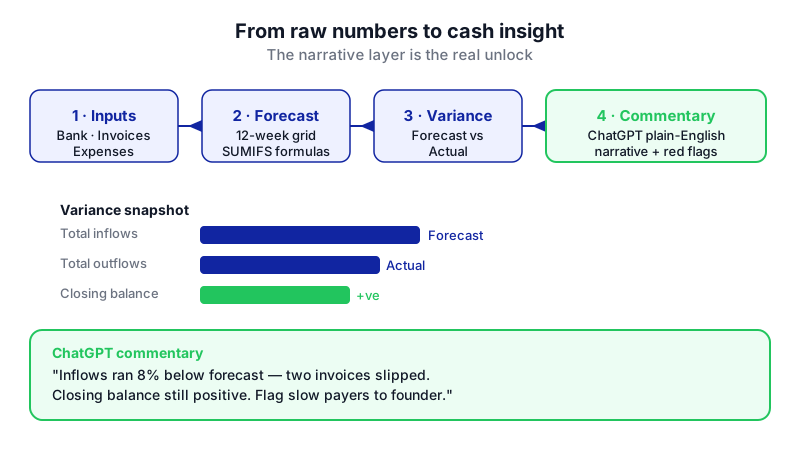
- A short written commentary generated by ChatGPT that explains the numbers, flags risks, and suggests what to raise with the founder.
That last piece is the real unlock. Most tutorials stop at "ask ChatGPT to build a template." Templates are easy; the narrative layer — the plain-English "why" behind the numbers — is what takes humans the longest and what finance conversations actually turn on.
What you need
| Tool | Plan needed | Why |
|---|---|---|
| Microsoft Excel | Any recent version (Excel 2016 or later, including Microsoft 365). Forecast Sheet is Windows-only. | Holds the numbers, formulas, and the final file you share. |
| ChatGPT | Free plan works for the commentary. If you want to upload your .xlsx file for analysis, a paid plan is more comfortable because Free accounts are limited to 3 uploads per day. Check the current plan on OpenAI's pricing page. | Generates formulas, structures the sheet, and writes the plain-English commentary. |
File limits worth knowing before you start: ChatGPT accepts spreadsheet uploads up to roughly 50 MB for .xlsx or .csv files. A cash flow sheet is tiny, so you will not come close.
Step by step
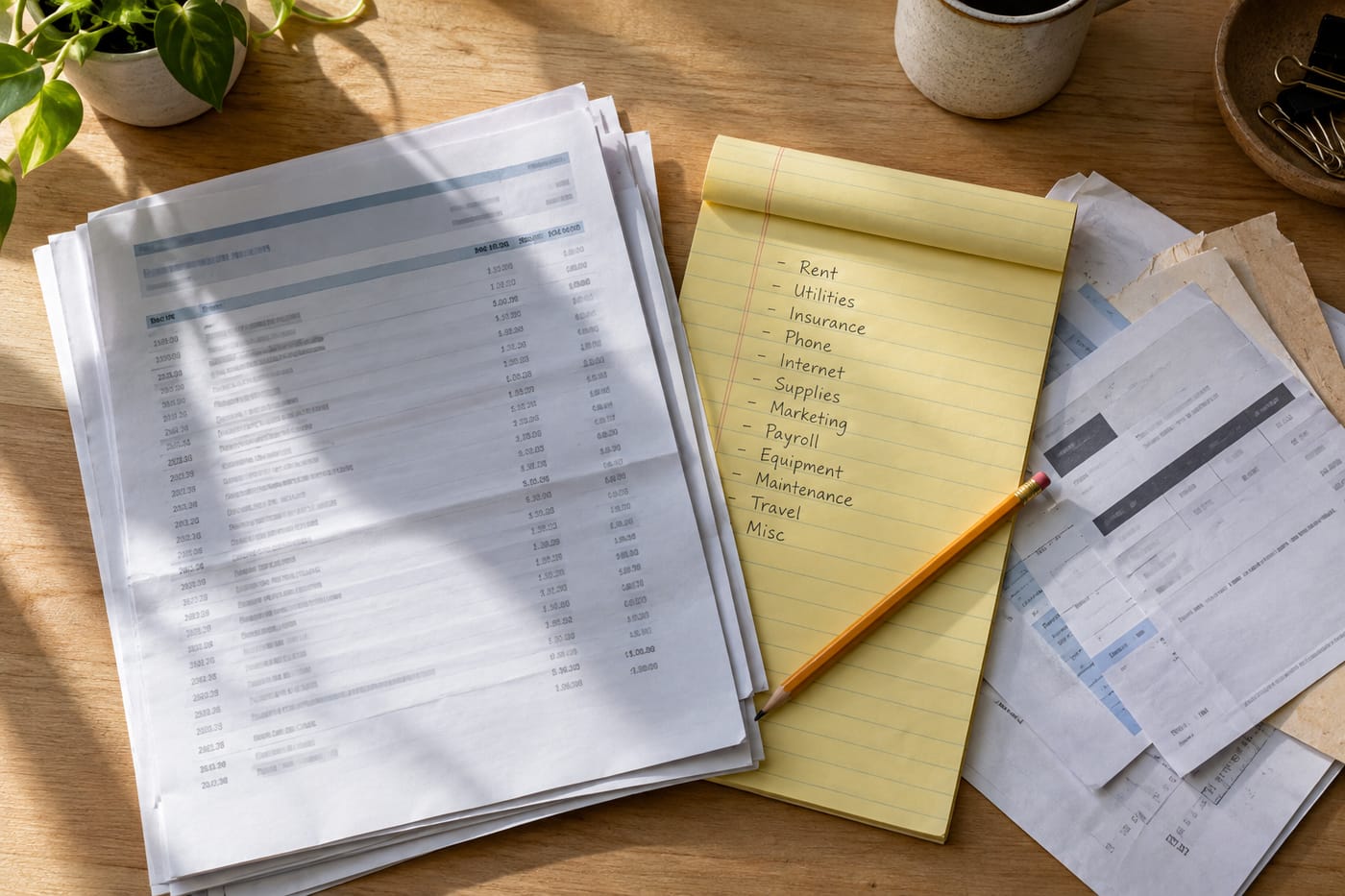
- Pull your raw numbers into one place. Open a blank Excel workbook. On a sheet called
Inputs, create four small tables: Opening bank balance (one cell), Expected inflows (date, client, amount, status: invoiced/expected), Fixed outflows (date, item, amount — salaries, rent, software, loan repayments), and Variable outflows (date, item, amount — contractors, travel, one-offs). Use real figures from your bank and invoicing tool. If a number is a guess, mark the row. - Ask ChatGPT to design the forecast structure. Before you build anything, get a clean layout. Paste this into ChatGPT:
I'm building a 3-month rolling cash flow forecast in Excel for a 15-person professional services firm. I'm not an accountant. Design the sheet structure for me: list every row I need (opening balance, categories of inflows, categories of outflows, net movement, closing balance), and tell me exactly which Excel formulas to use in each row. Columns should be the next 12 weeks. Keep it so a non-finance person can maintain it.
You will get back a row-by-row layout with formulas likeSUMIFS,SUM, and a closing balance that equals the previous column's closing balance plus net movement. Build that layout on a new sheet calledForecast. - Wire the formulas to your Inputs sheet. Use
SUMIFSto pull inflows and outflows into the right week based on date. A typical cell for "Client receipts, week of 3 Nov" looks like=SUMIFS(Inputs!C:C, Inputs!A:A, ">="&StartDate, Inputs!A:A, "<="&EndDate). If any formula breaks, paste the exact error and the formula into ChatGPT and ask it to fix the specific cell — do not ask it to rebuild the whole sheet. - Add a trend-based sanity check with Excel's Forecast Sheet (Windows only). If you have at least 6–12 months of historical weekly net cash movement, put it on a separate sheet in two adjacent columns (date, value, in chronological order). Then go to Data → Forecast group → Forecast Sheet. Excel generates a new worksheet with a projection and upper/lower confidence bounds. Use this as a reality check against your bottom-up forecast — if the two disagree sharply, that is a conversation to have. On Mac or Excel for the web the Forecast Sheet tool is not available; use
FORECAST.LINEARin a formula instead, or do this step on a Windows machine. - Build a variance block. Add a small table at the top of the Forecast sheet with three columns: Line item, Last month forecast, Last month actual, Variance. Fill in a handful of key rows (total inflows, total outflows, closing balance). This is what ChatGPT will read to write the commentary.
- Export the numbers for ChatGPT. You have two options. Option A (any plan): copy the forecast table and the variance table and paste them into the ChatGPT chat as plain text. Option B (paid plans more practical): save the file as .xlsx and upload it. ChatGPT's Advanced Data Analysis can read the file by running Python in the background. Remember Free is limited to 3 uploads per day; paid plans allow up to 80 uploads every 3 hours.
- Ask ChatGPT to write the commentary. This is the step that saves you an hour. Use this prompt:
You are helping me prepare a monthly cash flow update for the founder of a 15-person professional services firm. Below is my 3-month rolling forecast and a variance table comparing last month's forecast to actuals. Write a one-page commentary that: (1) summarises the current cash position in two sentences, (2) explains the three biggest variances in plain English and the most likely cause, (3) flags any week where closing balance drops below £50,000 as a red flag, (4) lists 3 specific questions I should raise with the founder, (5) suggests two actions to improve cash in the next 30 days. Use plain language, no jargon, no hype. Paste the data below. [paste your forecast table and variance table]
- Review every claim before you send it. ChatGPT will sometimes attribute a variance to a cause it cannot actually know ("this is likely due to seasonal slowdown"). Delete anything that is not grounded in your data. Keep what matches reality. The commentary is a draft, not gospel.
- Paste the commentary into a Commentary tab in the workbook and save the file. Share with the founder.
- Set a monthly repeat. Diary 45 minutes on the first working day of each month. Update the Inputs sheet, let the formulas refresh, re-run the ChatGPT commentary prompt with the new numbers, review, send.
A worked example
Say you are at a design consultancy. Opening balance on 1 November is £128,400. Expected inflows over the next 12 weeks include three retainer clients at £18,000/month and two project invoices totalling £46,000, with the project invoices on 30-day terms. Fixed outflows: payroll £82,000/month, rent £6,200, software £3,400. Variable: three contractors £14,000 in November.
Your forecast shows closing balance dipping to £41,900 in week of 15 December because payroll runs before the big project invoice clears. That is your red flag.
A good ChatGPT commentary draft would read something like: "Cash position opens November at £128.4k and is projected to close the quarter at £96.1k. The sharpest dip is week commencing 15 December (£41.9k), driven by December payroll landing before the £28k project invoice from Client X is due to clear on 22 December. If that payment slips by even a week, closing balance falls below £15k. Recommended actions: (1) confirm payment date with Client X this week, (2) consider offering a 2% early-payment discount." That is the kind of paragraph a founder can act on in 30 seconds.
Limits and gotchas

- ChatGPT cannot edit your live workbook. It generates text, formulas, and downloadable files. The separate ChatGPT for Excel and Google Sheets add-in (currently in beta) runs as a sidebar and can act on an open workbook prompt-by-prompt, if you want to try it.
- Numbers in, numbers out. If your Inputs sheet is wrong, the forecast is wrong and the commentary will confidently explain the wrong thing. Reconcile against your bank balance before every run.
- Confidence bounds are statistical, not strategic. Excel's Forecast Sheet projects based on history; it does not know you just signed a new client or lost one. Treat it as one input, not the answer.
- Privacy. Pasting client names and amounts into ChatGPT means that data leaves your network. If you are on ChatGPT Business or Enterprise, data handling is different from consumer plans — check your organisation's policy. For sensitive clients, anonymise ("Client A, Client B") before pasting.
- Human check required. Treat the commentary as a draft. Any claim about cause ("this is because…") must be verified by you.
- Platform quirks. Forecast Sheet is Windows-only. On Mac or Excel for the web, use
FORECAST.LINEARinstead. Excel for the web caps workbooks at 100 MB; you will not hit this for a cash flow sheet.
When not to use AI for this
Skip the AI commentary layer if your business is in genuine distress — if you are deciding whether to make payroll next week, you need a conversation with a qualified accountant, not a draft paragraph. Also skip it if your bookkeeping is behind: forecasting on top of inaccurate actuals produces false confidence. Catch up on reconciliation first.
Honest alternatives: a dedicated cash flow tool like Float, Fathom, or Syft (which plug directly into Xero or QuickBooks) will do the mechanical work more reliably than Excel and remove the manual input step. They cost more per month than ChatGPT but save hours if cash forecasting is a weekly, not monthly, job. Microsoft's own cash flow forecast templates in Excel, optionally paired with Copilot in Excel for AI-assisted analysis, are another route if you want to stay fully inside the Microsoft stack.
Frequently Asked Questions
Can I do all of this on the ChatGPT Free plan?
Yes, for the commentary. Generating text, formulas, and structured variance analysis works on Free. The constraint is that Free accounts are limited to 3 file uploads per day, so if you want to upload the full .xlsx each month rather than pasting tables as text, a paid plan is more comfortable.
What's the best ChatGPT prompt for a finance team writing variance commentary?
Give it the role, the audience, the data, and the exact structure you want back. The prompt in step 7 above is a good template — it specifies the reader (founder of a small firm), the format (one page, five sections), and the tone (plain language, no jargon). Vague prompts like "analyse this forecast" produce vague output.
Will ChatGPT give me correct Excel formulas?
Usually yes for common functions like SUMIFS, IF, NPV, IRR, and FORECAST.LINEAR. Always test with a known input before trusting a formula across the sheet. If a formula returns an error, paste the exact error message back into the chat with the cell contents and ask for a fix.
How is this different from using Copilot in Excel?
Copilot in Excel works inside the workbook and can act on your cells directly, which is faster for in-sheet edits. ChatGPT is a separate chat window, which is better for drafting longer commentary, exploring multiple scenarios in conversation, and getting a second opinion on structure. Many teams use both.
How often should I rebuild the forecast from scratch?
You should not. Build the structure once, then only update the Inputs sheet each month. The forecast formulas and the ChatGPT commentary prompt stay the same. Rebuilding monthly is the main reason people spend hours on this task.
If your cash flow process outgrows a spreadsheet and a chat window — multiple entities, live bank feeds, scenario modelling across the leadership team — a custom build is an option, and it is work CodeNicely does.
Sources & further reading
- About ChatGPT Pro tiers — OpenAI Help Center
- ChatGPT Pricing — learn.chatgpt.com (Official OpenAI)
- ChatGPT File Upload Limits 2026: Size, Count and Plans — ai-toolbox.co (citing OpenAI Help Center, updated October 6, 2026)
- ChatGPT file upload limits: every official number — chatgptlimit.com (citing OpenAI File Uploads FAQ, reviewed September 2026)
- When you can't create Excel files with ChatGPT (tested September 22–23, 2026)
- ChatGPT + Excel: What the Integration Can (and Can't) Do in 2026 — usecarly.com
- Can ChatGPT Create Spreadsheets? Yes But... — quadratichq.com
- Create a forecast in Excel for Windows — Microsoft Support (Official)
- Forecasting in Excel — excel.cloud.microsoft (Official Microsoft)
- Cash flow forecast templates — excel.cloud.microsoft (Official Microsoft)
Get one practical guide a week
Costs, AI tools, partner selection — written for people who make the decision. No spam, unsubscribe anytime.
Thanks — you're on the list. One practical guide a week, nothing else.
That didn't work — please check the email address and try again.
Building something in Finance & Accounting?
CodeNicely partners with founders and tech teams to ship AI-native products that move metrics. Tell us about the problem you're solving.
Talk to our team Book a 30-min call