_1751731246795-BygAaJJK.png)
What Software a General Contractor Actually Needs to Build

 Published by CodeNicely, the product studio founded by Meghal Agrawal and Ujjwal Agrawal in 2017
For: Owner or COO of a US general contracting firm doing $10M–$80M in annual revenue, running 8–25 concurrent projects, who has outgrown Procore or never fully adopted it and is watching margin bleed out of change orders, subcontractor payments, and job costing that nobody can reconcile until the project closes
In this guide
If you run a $10M–$80M general contracting firm, the software worth building (not buying) is a thin layer that connects your field-logged change orders to your AIA G702 billing — because that single broken handoff is where most of your profit fade lives. Everything else — document management, scheduling, drawings — buy off the shelf. The order matters: fix the change order to invoice loop first, subcontractor compliance and payment second, job cost reconciliation third. Everything else can wait a year.
The rest of this piece explains why, what each layer actually looks like, and what it takes to get there.
Start with the margin leak you can measure
Before you evaluate another platform, name the three operational problems that are actually costing you money. For a mid-market GC running 8–25 concurrent projects, they are almost always the same three, in the same order.

1. Change orders that never make it to an invoice
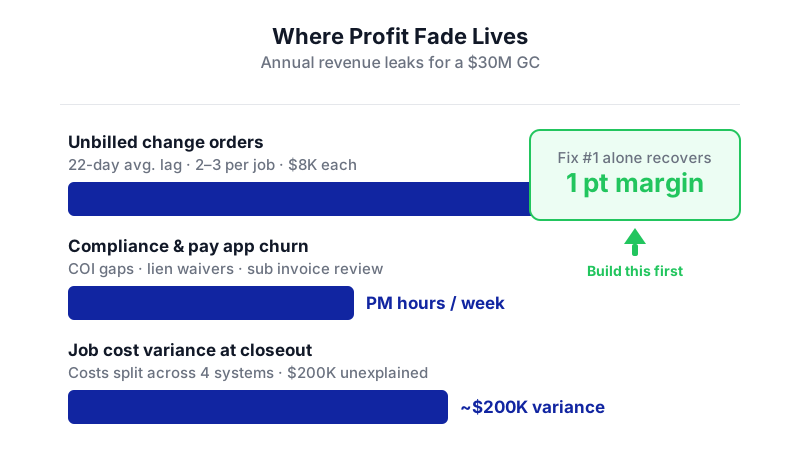
This is the one owners underestimate. The average time from a signed T&M tag in the field to a fully priced COR submitted to the owner is 22 days, and more than half of CORs require two or more revision cycles before approval. By the time the COR is approved, the PM is on a different job, the superintendent has lost the backup photos, and the billing clerk has already cut the pay app for that period.
The result: a $30M contractor with just 2–3 unbilled change orders per active job at $8K each leaks $300K–$500K per year in unrecovered revenue. That is a full point of net margin, gone before any other operational problem fires. Finance specialists call change orders "the single biggest source of profit fade" in mid-sized contractors.
And it compounds. When you do bill them, more than half of GCs don't collect the full requested amount on more than 20% of their change orders, with 66% citing disputed pricing and 53% citing insufficient backup. Backup that exists — somewhere — in Procore photos, in a superintendent's text thread, in a daily log PDF nobody opened.
2. Subcontractor compliance and payment that eats a PM's week
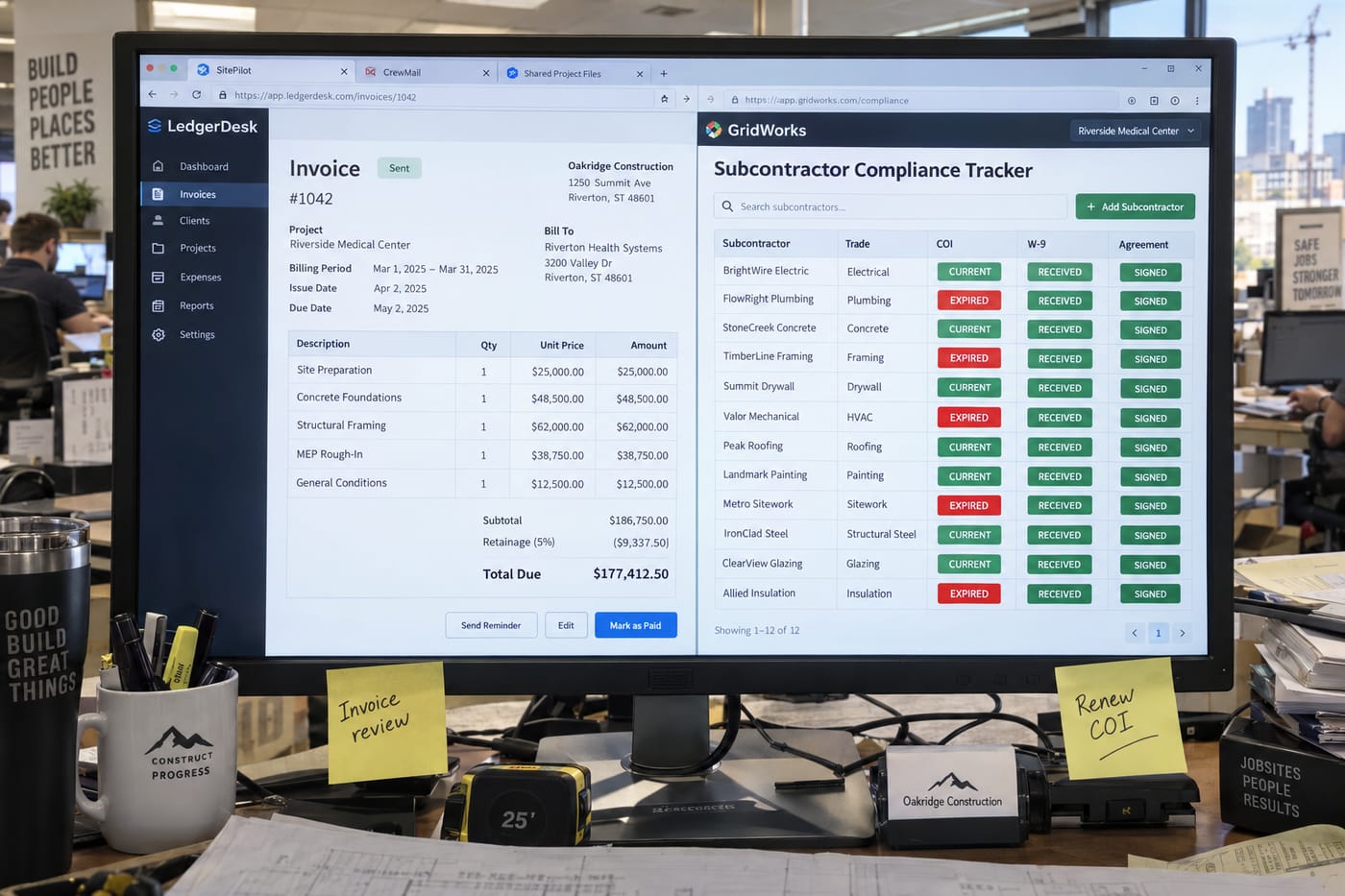
The second leak is less dramatic but constant. On a typical commercial job, your PM is chasing certificates of insurance, W-9s, lien waivers, and conditional releases across 15–40 subs per project. The information lives in email, in a shared drive, in QuickBooks, and in whatever the compliance clerk keeps in a spreadsheet. When a sub's COI lapses mid-job, nobody notices until the owner's rep flags it during a walkthrough.
Then pay apps come in on the 25th. Your PM has four days to review 20 sub invoices against schedule-of-values percentages, confirm stored materials, match lien waivers from the previous month's payment, and get it all into a G702/G703 package the owner will actually approve. AIA G702/G703 is the format used on 78% of commercial projects in the U.S. — and it is the single most standardized financial handoff in your business. It is also the one most commonly held together with Excel and willpower.
3. Job costing nobody can reconcile until closeout
The third leak is the one your controller complains about. Committed costs live in your accounting system. Actual field production lives in daily logs. Change orders live in a project management tool. Subcontractor invoices live in email until they hit AP. By the time anyone reconciles them, the job is 80% complete and you have a $200K variance nobody can explain.
FMI estimates miscommunication and bad project data drive $31 billion in annual rework costs across U.S. construction. That is the macro number. The micro version shows up in your WIP schedule.
Why off-the-shelf keeps failing you
The U.S. construction management software market was $1.25B in 2024, projected to hit $2.07B by 2032. The category is crowded and getting more expensive. Procore is the loudest option. It is also the one that keeps not fitting mid-market firms.
Two reasons. First, cost. A 25-person GC running $30M can land in the $40K–$80K per year range for Procore before add-on modules — pricing built for ENR top-400 firms with dedicated IT staff. Second, adoption effort. Procore's own recommended onboarding timeline is 3–6 months. Your most experienced PM is managing a migration, not jobs, for half a year.
And despite the marketing, Procore is not the default. As of October 2026, only 14% of organizations with a construction software vendor use Procore, with adoption lowest among smaller firms. The mid-market has been quietly voting with its wallet.
The honest answer in the construction project management software build vs buy debate is: buy the commodity layer, build the integration layer. Nobody should write their own document management or drawing viewer in 2026. But the glue between field, project management, and billing — that is where custom pays back.
What to build, in order
Layer 1: The change order capture-to-invoice pipeline
This is the first thing worth building and the one that pays for itself fastest. The scope is narrow:
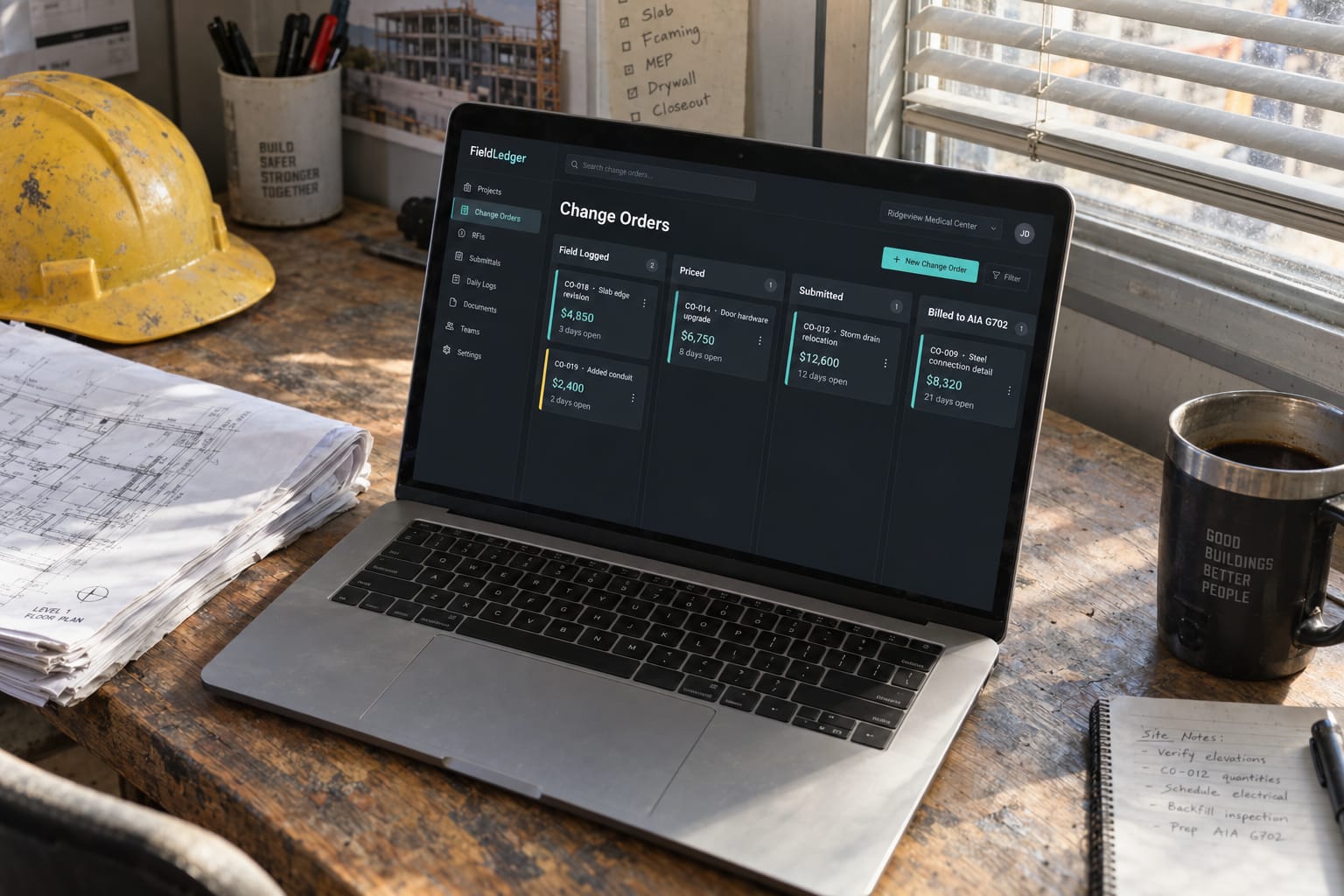
- A field app (or extension of what the superintendent already uses) that captures a T&M tag with photo, time, materials, and the sub or self-perform crew — in under 90 seconds, before the superintendent walks away from the work.
- A pricing workflow that takes the raw tag, applies your markup rules by cost code, and generates a COR draft the PM reviews instead of writes.
- A direct link from approved CORs into the current pay application, so the G702 line items update automatically and the backup PDF is assembled from the original field capture.
What changes once this exists: your 22-day COR cycle compresses to days, your backup documentation problem disappears because the photo and timestamp are attached from capture, and the 20%+ of CORs that get written down for "insufficient backup" starts shrinking. For a $30M firm, recovering even half the typical $300K–$500K leak funds the build many times over in year one.
What it is bad at: this will not fix a culture where superintendents don't log T&M at all. Software does not create discipline it only reduces friction. If your field team actively hides change work from the office, build the reporting layer first and have the hard conversation.
Layer 2: Subcontractor management and compliance automation
Second in priority: a subcontractor management software for general contractors layer that replaces the spreadsheet. The build is less about novel capability and more about consolidation:
- A single sub record with COI expiry tracking, W-9 status, prequal data, and insurance limits per project.
- Automated reminders 30/15/5 days before COI lapse — to the sub, not just to your compliance clerk.
- A pay application intake portal where subs submit their G702/G703, lien waiver, and stored materials docs in one place, pre-validated against the schedule of values.
What changes: your PM gets 4–6 hours per week back during pay app week, your compliance exposure drops, and your pay-when-paid clock starts earlier because sub invoices arrive clean. The value is operational leverage more than direct revenue recovery.
What it is bad at: it will not resolve disputes with subs who game their percent-complete. That is a project control problem, not a software problem.
Layer 3: Live job cost reconciliation
Third, and only after the first two are stable: a construction job costing software layer that pulls committed costs from your accounting system (Sage 300 CRE, Foundation, QuickBooks Enterprise, whatever you use), actual field hours from your time tracking, approved COs from Layer 1, and sub costs from Layer 2 — and presents a WIP view your PMs can read on Monday morning.
This is where off-the-shelf tools like Knowify or CMiC overlap heavily. Evaluate them seriously before building. The build case only wins if your accounting system is unusual, your cost code structure is non-standard, or you have specific reporting the owner demands that no tool handles. For most mid-market GCs, this layer is a buy.
What not to build
Be honest about what is not worth the engineering:
- Document and drawing management. Procore, Autodesk Construction Cloud, Newforma, or even SharePoint with discipline handles this. Nobody wins by building it.
- Scheduling. P6, MS Project, or Smartsheet. Done.
- Estimating. Buy. The specialized tools (PlanSwift, Bluebeam, STACK) are better than anything you will build.
- General accounting. You already own this. Integrate with it, don't replace it.
The pattern: build where your workflow is non-standard and the margin impact is direct. Buy where the problem is a solved commodity.
What a build like this actually takes
The honest answer on custom software for construction companies timelines and budgets: it depends on three things, and anyone who gives you a number without asking about them is guessing.
What drives the number:
- Your accounting system. A clean API (modern QuickBooks Online, newer Sage Intacct) is weeks of integration work. An on-prem Sage 300 CRE or Foundation install is months.
- Your field reality. If supers already use iPads with reliable LTE, a field app is straightforward. If half your sites are in cell dead zones and your supers prefer paper, you are building offline sync and change management, not just software.
- How many systems you keep. Replacing Procore entirely is a different project from building a thin layer that sits on top of it and talks to your accounting system. The second is faster and cheaper and usually the right call.
Illustrative only: a mid-market GC with QuickBooks Enterprise, Procore already in place for docs and drawings, and iPad-equipped supers wanting Layer 1 (change order pipeline with AIA billing integration) is a materially smaller build than a firm on legacy Sage with no field tooling that wants Layers 1 through 3. The first might be a few months of focused work. The second is a program, not a project. Every assumption in that example — accounting system, existing field hardware, scope limited to one layer — moves the number.
To turn a range into a real quote, three specifics matter: which accounting system you run and what version, whether you are keeping Procore (or similar) as the document layer or replacing it, and how many of your current field supers will actually use a new tool on day one. Scope those and the number becomes a number. A conversation with a team that builds this kind of operational software is the fastest way to get there.
How to sequence it
If you take nothing else from this: do not try to fix everything at once. The sequence that works for mid-market GCs:
- Months 0–2: Instrument before you build. Pull six months of approved COs and compare them to what got billed. Measure your actual leak. The number will shock you and will make the business case trivial.
- Months 2–6: Build Layer 1 (change order capture to AIA billing). Pilot on two projects with your most cooperative super. Measure COR cycle time and recovery rate against your baseline.
- Months 6–10: Build Layer 2 (sub compliance and pay app intake). By now Layer 1 is paying back and funding this.
- Months 10–12: Evaluate Layer 3. Pilot Knowify, CMiC, or similar before committing to a build. The buy case is strong at this layer for most firms.
- Year 2: Revisit Procore spend. With your own operational layer in place, you may find you need Procore only for drawings and docs — a much cheaper tier.
The field operations software for contractors market will keep getting more crowded and more expensive. The firms that come out ahead are not the ones who buy the most software. They are the ones who build the thin, specific layer that fits how their business actually runs, and buy everything else.
Frequently Asked Questions
Should we replace Procore or build on top of it?
For most mid-market GCs, build on top of it — at least initially. Procore is reasonable at documents, drawings, and RFIs. It is weak at the field-to-billing handoff where your margin leaks. A thin custom layer that integrates with Procore's API and your accounting system is faster to deploy and lower risk than a full replacement. Revisit the replacement question in year two once you know which Procore modules you actually use.
Isn't it cheaper to just hire another PM or billing clerk?
For the specific problem of unbilled change orders, no. A clerk cannot be in the field when the T&M work happens, which is where the backup documentation gets lost. More headcount scales the symptoms. The leak is a workflow problem — field capture to billing — and more people in the office does not close it. Headcount helps with Layer 2 (compliance) but not Layer 1.
What does a custom build like this actually cost?
It depends on your accounting system, your field hardware reality, and how much scope you take on. A focused Layer 1 build for a firm with modern accounting and existing iPads is a materially different project from a multi-layer build for a firm on legacy on-prem systems. The honest answer: get a scoped estimate from someone who has looked at your actual stack. Any number given without seeing your accounting system and field setup is a guess.
How do we know if our team will actually use what we build?
Pilot on two projects with your most cooperative superintendent and PM before rolling out. Measure specific metrics: COR cycle time, backup documentation completeness, pay app rejection rate. If adoption fails in the pilot, the problem is almost always friction (too many taps, no offline mode, slow sync) or culture (field team doesn't trust the office). Both are fixable before you scale.
What about AI features — are they worth building in?
Selectively, yes. Automatic cost code suggestion from T&M descriptions, OCR on sub invoices and lien waivers, and anomaly detection on job cost variances are mature enough to add real value in a construction operations build. Skip the AI features that generate RFIs or write submittals — the quality is not there yet for billable work and the risk of a hallucinated spec reference is not worth the time savings.
Sources & further reading
- U.S. Construction Management Software Market Report — Data Bridge Market Research
- Best AIA Billing Software for G702/G703 Contractors [2026] — ConstructionBids.ai
- The Change Order Process Is Costing Specialty Contractors Real Money — Clearstory / Dodge Construction Network
- Change Orders and Profit Fade in Construction — CivilCFO
- Procore for Small Contractors: When Enterprise Software Hurts — BanaMind.ai
- The Mid-Market Revolt: Why GCs Are Bypassing Legacy Construction Software — Builders Digest
- Procore Adoption Rate (October 2026) — Ramp Vendor Data
- How Scope Gaps Become Change Orders: A $340K Problem for General Contractors — Provision.com
Get one practical guide a week
Costs, AI tools, partner selection — written for people who make the decision. No spam, unsubscribe anytime.
Thanks — you're on the list. One practical guide a week, nothing else.
That didn't work — please check the email address and try again.
Building something in Construction and Contracting?
CodeNicely partners with founders and tech teams to ship AI-native products that move metrics. Tell us about the problem you're solving.
Talk to our team Book a 30-min call