_1751731246795-BygAaJJK.png)

Write Cold Sales Emails That Book Meetings with ChatGPT

 Published by CodeNicely, the product studio founded by Meghal Agrawal and Ujjwal Agrawal in 2017
For: A sales rep or account executive at a 15–50 person B2B software company who owns their own outbound pipeline and sends cold emails manually every week with mixed results
In this guide
By the end of this tutorial you'll have a ready-to-send, three-email cold outbound sequence for one specific prospect — written and refined in ChatGPT, then pasted into HubSpot (or any email tool) for sending. Budget around 20–30 minutes the first time, and 5–10 minutes per prospect once you've reused the prompts a few times.
Last verified: October 2026, against the tools' own documentation. AI tools change often — if a step no longer matches, check the sources at the end.
Who this is for, and what you'll get
This is for a sales rep or AE at a 15–50 person B2B software company who owns their own outbound pipeline and sends cold emails by hand. You already know your ICP, you've got a prospect list, and you're tired of staring at a blank Gmail window trying to write something that doesn't sound like every other vendor in their inbox.
What you'll walk away with:
- Three personalized emails for one prospect — initial outreach, a value-add follow-up, and a short break-up email.
- A reusable ChatGPT prompt template you can run on every new prospect.
- A clean way to load the sequence into HubSpot Sequences (if you have the right plan) so follow-ups send automatically and stop the moment they reply.
What most tutorials get wrong
Most "how to use ChatGPT for sales outreach" guides tell you to type "write me a cold email to a VP of Marketing" and call it done. The output is generic because the input is generic. ChatGPT has no autonomous access to your prospect's LinkedIn, their company's recent announcements, or their current initiatives — if you don't paste that context in, it will invent a plausible-but-forgettable email.
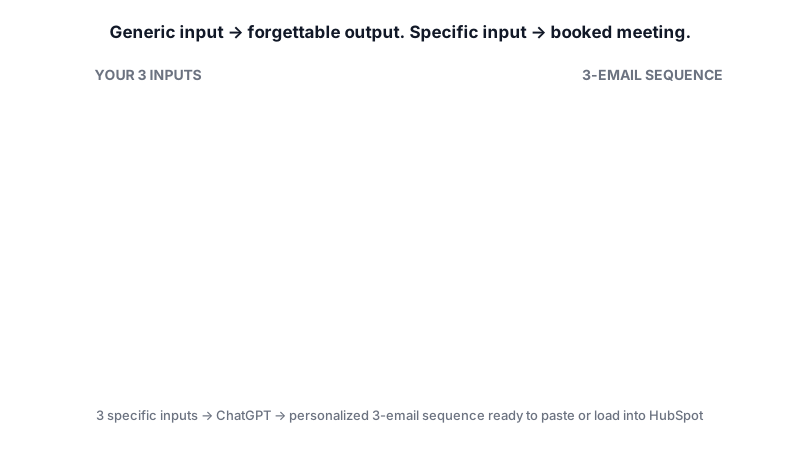

The real unlock is giving ChatGPT three specific inputs before it writes a single word: the prospect's LinkedIn headline (or a recent post), one concrete pain point their company has publicly stated, and your one-line differentiator. That's what separates a booked meeting from a deleted email.
What you need
| Tool | Plan needed | Cost | Why |
|---|---|---|---|
| ChatGPT | Free is enough for one sequence per session. Plus is better if you iterate heavily. | Free: $0. Plus: $20/month. | Drafts and refines the email copy. Free is rate-limited to roughly 10 messages every 5 hours before dropping to a lighter model; Plus offers roughly 5× the message limit. |
| HubSpot (optional, for automated sending) | Sales Hub Professional or Enterprise, plus an assigned Sales seat. Sequences are NOT on Free or Starter. | Sales Hub Professional: $100/seat/month billed annually (~$115/seat monthly), plus a mandatory $1,500 onboarding fee. Check the current price on HubSpot's pricing page before buying. | Sends the 3 emails on a timed cadence and automatically unenrolls the prospect when they reply or book a meeting. |
| A connected work inbox | Individual Gmail or Outlook work address connected to HubSpot. | Included. | Required to send sequence emails. A shared team inbox connected to HubSpot's conversations inbox cannot be used for sequences. |
If you don't have HubSpot Professional, you can still do the whole writing workflow in ChatGPT and paste each email into Gmail or Outlook manually on day 1, day 4, and day 10. You just lose the automatic cadence and reply-detection.
Step-by-step: from blank page to a 3-email sequence
-
Gather the three context inputs before you open ChatGPT. This is 80% of the quality. For your target prospect, grab:
- Their LinkedIn headline and, if you can find one, a recent post or comment they made (last 30 days).
- One pain point or initiative their company has publicly stated — from a recent earnings call, a job posting, a product launch, or their careers page. Job postings are gold because they list the exact problems they're hiring to solve.
- Your one-line differentiator: what your product does that the two closest competitors can't, in plain language.
-
Open ChatGPT and set the role. Starting a chat with a role primer makes every follow-up answer sharper. Paste this first:
You are an experienced B2B SaaS sales development rep writing cold outbound emails to senior buyers. Your style is direct, specific, no hype, under 90 words per email, and always ends with a single clear ask. Do not use phrases like "I hope this email finds you well", "circling back", "touching base", "synergy", or "revolutionary". Confirm you understand before I share the prospect details.
-
Feed ChatGPT the prospect context. This is the prompt that most people skip. Fill in the brackets with your real research:
Here is the prospect and my offer.
Prospect name: [First Last]
Company: [Company]
LinkedIn headline: [paste exactly]
Recent signal (post, hire, launch, job ad): [paste 1–2 sentences]
Public pain point or initiative: [1–2 sentences]
My company: [name, one-sentence description]
My one-line differentiator: [what we do that competitors can't]
Typical result a customer sees in 90 days: [e.g. "cut onboarding time from 6 weeks to 10 days"]
My call to action: a 20-minute call next week.
Confirm you have everything you need, then wait for my next instruction. -
Ask for the first email. Keep the ask tight so you get usable output on the first pass:
Write Email 1 of a 3-email cold sequence. Rules: subject line under 6 words, body under 90 words, open with a specific reference to the prospect's recent signal or stated pain point (not a generic compliment), one sentence on how we help, one sentence of proof, one clear ask for a 20-minute call next week. No bullet points. Give me two subject line options.
-
Pressure-test it. Before you accept the draft, run it through a critique prompt. This usually improves the email more than any amount of rewriting:
Critique that email as if you were the prospect receiving it in a busy inbox. What would make you delete it? What's generic? Rewrite it addressing every weakness, keeping the 90-word limit.
-
Generate Emails 2 and 3. Ask for them one at a time so you can steer tone:
Write Email 2, to send 4 days after Email 1 if no reply. It should NOT repeat the first email. Instead, share one specific, relevant insight, resource, or short case study (1 sentence) tied to their stated pain point, and end with a soft ask (reply yes/no, or suggest a time). Under 75 words.
Write Email 3, the break-up email, to send 6 days after Email 2. Under 50 words. Acknowledge they may not be the right person or that the timing is off, ask if someone else on their team owns this, and make it easy to say no. Subject line should feel human, not salesy.
-
Clean it up and remove the AI tells. Read each email out loud. Delete anything that doesn't sound like you. If ChatGPT slipped in a cliché you banned, paste it back and say "rewrite without X". Keep merge-field placeholders like
{{first_name}}if you're going into HubSpot. -
(Optional) Load the sequence into HubSpot. If you have Sales Hub Professional or Enterprise with a Sales seat assigned:
- Click More in the top nav, then go to Sales > Sequences (or go to Sales > Sequences directly if "More" doesn't appear).
- Click Create Sequence in the top right.
- Add three email steps. Paste Email 1 into step 1, set a 4-day delay, paste Email 2, set a 6-day delay, paste Email 3.
- Save the sequence. HubSpot sequences will automatically unenroll the contact when they reply or book a meeting, so you don't need to build that logic yourself.
-
Enroll your prospect. Open the contact record, click the Enroll in a sequence icon in the left panel (if you don't see it, click the ellipses/More icon to reveal it), hover over your sequence, click Select, choose the Start at step from the dropdown, pick a time zone, then click Start sequence.
-
Reuse the prompt template. Save your role primer and the context template in a note somewhere you can grab fast. Next prospect, you're swapping brackets, not starting over.
A worked example
Say you sell a developer onboarding platform and your prospect is Priya, VP of Engineering at a 200-person fintech. Here's what the inputs look like:
LinkedIn headline: "VP Engineering at FinCore | Scaling platform teams | ex-Stripe"
Recent signal: "FinCore posted 11 backend engineering roles in the last 30 days and their careers page mentions 'cutting ramp time for new hires' as a 2024 priority."
Public pain point: "Hiring 11 backend engineers in a quarter means onboarding bottlenecks — their current docs-based onboarding was referenced in a recent engineering blog as 'something we're actively rethinking'."
Your differentiator: "We're the only onboarding platform that auto-generates environment setup from your actual repos, so new hires ship a PR on day 2 instead of week 3."
Good output from ChatGPT (your mileage will vary — this is illustrative) will produce an Email 1 that reads something like:
Subject: 11 backend hires, one bottleneck
Priya — saw FinCore's hiring push and the note on your engineering blog about rethinking onboarding. With 11 new backend engineers landing this quarter, ramp time is going to compound fast.
We auto-generate dev environments from your repos so new hires ship a PR on day 2 instead of week 3. One Series B fintech cut ramp from 6 weeks to 10 days.
Worth a 20-minute call next Tuesday or Wednesday to see if it fits?
Notice what's doing the work: the specific hiring number, the reference to their blog, a concrete outcome, one ask. None of that came from ChatGPT guessing — it came from the context you pasted in.
Limits and gotchas
- ChatGPT has no live access to your prospect. It cannot look up LinkedIn, recent news, or anyone's inbox. Everything personal in the email came from what you pasted. Garbage in, generic out.
- ChatGPT has no email-sending, CRM integration, open/click tracking, or deliverability checking. It generates text. The sending, tracking, and automation all live in your email tool or CRM.
- Free tier rate limits. The ChatGPT Free plan allows roughly 10 messages every 5 hours before falling back to a lighter model. Fine for one sequence; annoying if you're writing 10 in a row. Plus at $20/month lifts the limit about 5×.
- HubSpot Sequences gating. Sequences are not on Free or Starter. You need Sales Hub Professional ($100/seat/month annually, plus a $1,500 onboarding fee) or Enterprise, and a Sales seat assigned to the user. Starter's email tools are for broadcast, not 1-to-1 cadence.
- Workflow-triggered bulk enrollment is Enterprise-only. On Professional you can enroll contacts manually or via limited workflow triggers; full automated enrollment via workflows requires Enterprise.
- Human check every email. Read every draft before it goes out. Check names, company names, numbers, and anything that sounds confidently specific — if ChatGPT invented a stat or a case study detail, cut it. Only cite proof you can actually stand behind.
- Privacy. Don't paste anything confidential (private deal data, non-public financials, customer PII) into ChatGPT. Keep it to public LinkedIn and public company information.
When not to use AI for this
Skip ChatGPT for the email itself when:
- You already have a warm intro or referral. A two-sentence note from you will beat anything ChatGPT writes. Don't over-engineer it.
- You're emailing an existing customer or an active opportunity. You know these people. Write it yourself in 3 minutes.
- You can't find any real personalization. If you have no signal, no stated pain point, nothing — don't ask ChatGPT to invent one. Either dig harder or move the prospect lower in your priority list.
- Highly regulated industries where every outbound message needs legal/compliance review. The AI draft doesn't save you time if a lawyer still has to rewrite it.
Honest alternatives: a tight personal template that you fill in by hand (10 minutes per email, often higher reply rates than any AI draft), or hiring an SDR if volume is really the constraint.
Frequently Asked Questions
Can I just paste my prospect's LinkedIn URL into ChatGPT?
No — ChatGPT does not have autonomous access to LinkedIn. You need to copy the relevant text (headline, a recent post, their job history) and paste it into the prompt yourself. That manual step is what makes the output specific.
Do I need ChatGPT Plus for this?
Not for a single sequence. The Free plan handles unlimited text chats but is rate-limited to around 10 messages every 5 hours. If you plan to iterate heavily or write multiple sequences back-to-back in one sitting, Plus at $20/month gives you roughly 5× the message limit and is worth it.
Can I do this entire workflow on HubSpot's free CRM?
You can store contacts and send one-off emails from the free CRM, but you cannot build automated multi-step sequences — Sequences are gated at Sales Hub Professional or Enterprise. On Free or Starter, you'll need to send each of the three emails manually on the right day.
Will HubSpot stop sending the follow-ups if the prospect replies?
Yes. HubSpot Sequences automatically unenroll a contact when they reply to a sequence email or book a meeting. It's a built-in trigger, so you won't accidentally send a "just checking in" email to someone who already said yes.
How many prospects per day can I realistically do this for?
Once you've reused the prompt template a few times, the writing step takes 5–10 minutes per prospect if your research is already done. The bottleneck is almost always research — gathering a real signal and a real pain point for each prospect — not the drafting.
If your outbound process outgrows what ChatGPT plus HubSpot can do — think custom enrichment, signal detection, and auto-personalization at scale — a tailored build is the next step, and that's the kind of thing we do at CodeNicely.
Sources & further reading
- Create and edit sequences – HubSpot Knowledge Base
- Enroll contacts in a sequence – HubSpot Knowledge Base
- Enroll and unenroll contacts in sequences using workflows – HubSpot Knowledge Base
- HubSpot Sales Hub Pricing 2026 – Docket
- HubSpot Pricing 2026 – Email Vendor Selection
- ChatGPT Usage Limits Explained – BentoML Blog
- ChatGPT Pricing in 2026 – OpsLyft
- ChatGPT Cold Email Prompts – SmartLead Blog
- HubSpot Sequences Guide – Zeeg Blog
- Generate Sales – HubSpot Knowledge Base
Get one practical guide a week
Costs, AI tools, partner selection — written for people who make the decision. No spam, unsubscribe anytime.
Thanks — you're on the list. One practical guide a week, nothing else.
That didn't work — please check the email address and try again.
Building something in Sales?
CodeNicely partners with founders and tech teams to ship AI-native products that move metrics. Tell us about the problem you're solving.
Talk to our team Book a 30-min call