_1751731246795-BygAaJJK.png)

Write Product Descriptions That Actually Convert with ChatGPT and Notion

 Published by CodeNicely, the product studio founded by Meghal Agrawal and Ujjwal Agrawal in 2017
For: A catalog manager at a 15-person home goods brand who manually rewrites product copy for every new SKU and every sales channel, eating up two to three days per product launch
In this guide
By the end of this tutorial you will have a reusable Notion database that stores your brand voice, product specs, and 10+ ready-to-publish product descriptions per SKU — tailored to your website product page, Amazon listing, and Instagram caption. Setup takes about 60 minutes the first time; after that, each new SKU takes roughly 20-30 minutes instead of two or three days.
Last verified: October 2026, against the tools' own documentation. AI tools change often — if a step no longer matches, check the sources at the end.
Who this is for, and what you'll get
This is written for a catalog or e-commerce manager at a small home goods brand who is tired of rewriting the same product copy from scratch for every channel. If you launch a new SKU and immediately lose two days to copywriting, this is for you.
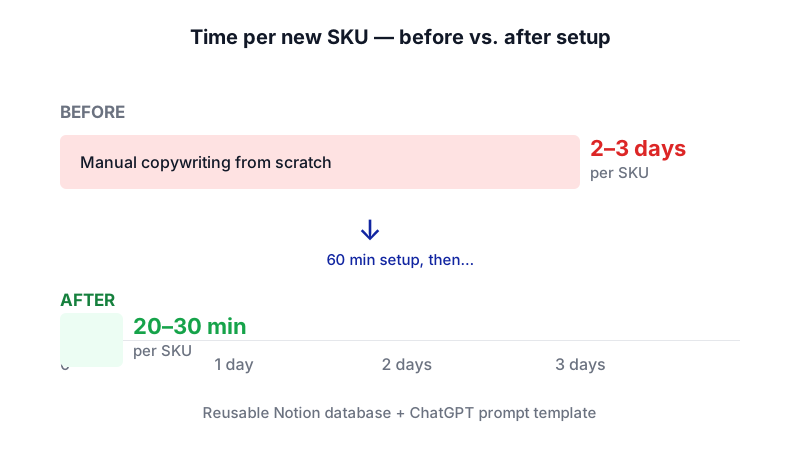
What you'll walk away with:
- A Notion database called Product Copy Library with one page per SKU.
- A reusable Brand Voice Brief block you paste into every ChatGPT prompt so you never re-explain your tone.
- A prompt template that produces 10+ variants per product: long-form PDP copy, Amazon bullets, Amazon title, short PDP summary, meta description, three Instagram captions, and two email subject lines.
- Database views that let you filter by persona, channel, or launch status.
What you need
| Tool | Plan | Cost | Why this tier |
|---|---|---|---|
| ChatGPT | Plus | $20/month | Plus gives you the full tool suite and the flagship model with a 54K-token context window — enough room to paste your brand brief plus product specs without being bumped to the mini model. Free works for occasional use but caps at ~27K tokens and falls back to a lighter model. |
| Notion | Free | $0 | If you are the sole workspace owner, Free gives you unlimited blocks and pages. If you have a teammate collaborating, you'll hit the 1,000-block cap quickly — upgrade to Plus at $10/member/month. |
You do not need Notion AI for this workflow. All generation happens in ChatGPT; Notion is your storage, template, and organization layer.
Step-by-step
-
Create the Product Copy Library database in Notion. In your workspace, create a new page and add a database (table view). Name it Product Copy Library. Each row will be one SKU.
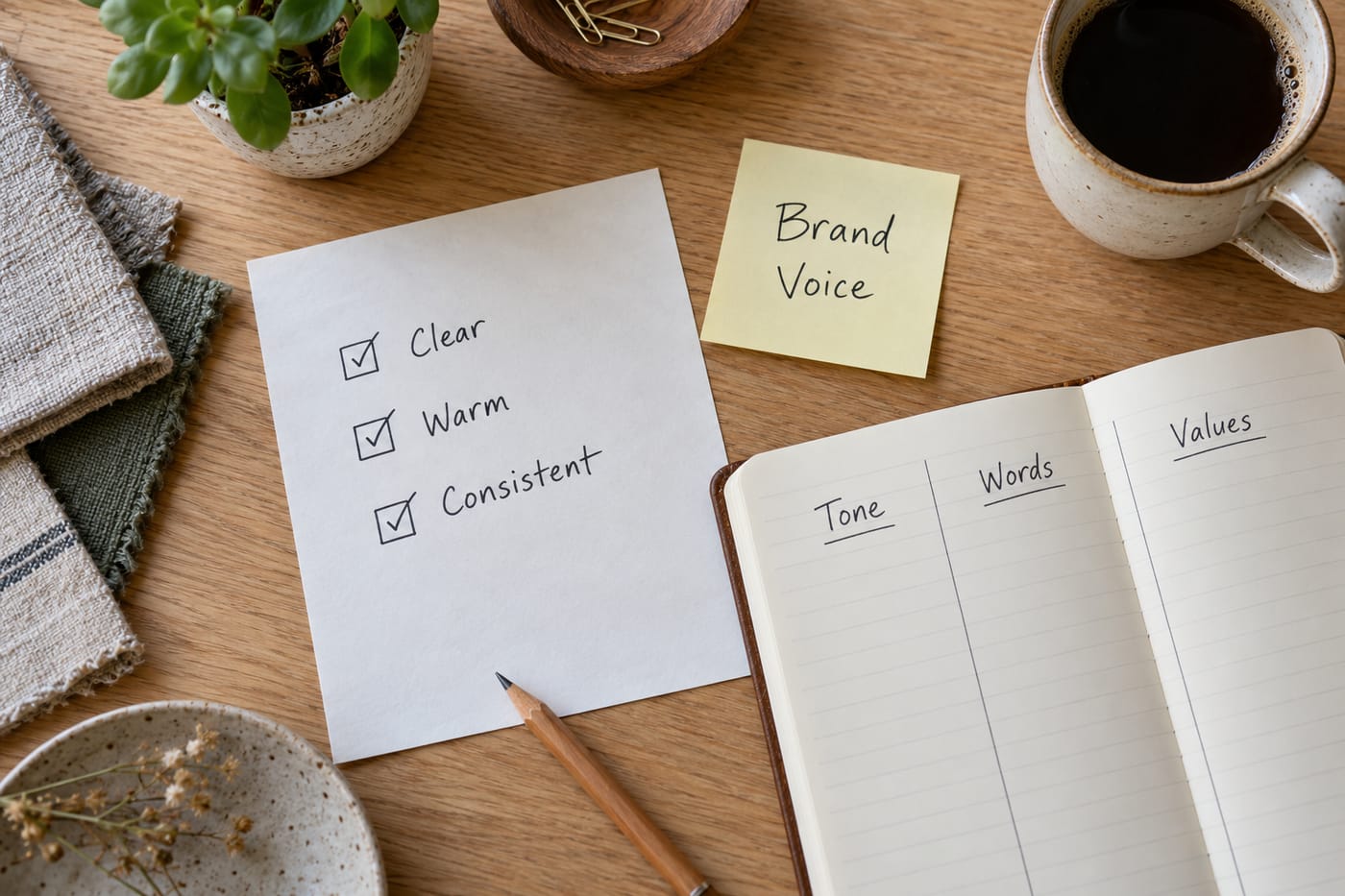
Map out your database columns and brand voice notes before opening any tool — the setup pays off on every future SKU. -
Add properties (columns) that match how your team actually filters work. Notion database rows are full pages, and properties let you tag and filter them. Add these columns:
SKU— textProduct Name— text (title property)Category— select (e.g., Bedding, Kitchen, Decor)Customer Persona— multi-select (e.g., First-apartment renter, New homeowner, Gift-giver)Channel— multi-select (PDP, Amazon, Instagram, Email)Launch Status— select (Draft, In Review, Published)Launch Date— date
-
Create a database template for new SKUs. Click the dropdown arrow next to the New button inside your database and select New Template. Name the template SKU Copy Brief. This is where the real time savings live — anything you put inside this template auto-populates every new SKU page.
-
Build the reusable prompt blocks inside the template. This is the step most tutorials skip. Instead of pasting raw specs into ChatGPT every time, structure the template page with four labeled sections (use Notion headings):
- 1. Brand Voice Brief — a fixed block you write once and reuse forever.
- 2. Product Specs — what you fill in per SKU.
- 3. Prompt to paste into ChatGPT — a toggle containing the master prompt.
- 4. Generated Copy — subsections for PDP, Amazon, Instagram, Email where you paste ChatGPT's output.
-
Write your Brand Voice Brief once. This is the unlock. Spend 20 minutes doing this properly and you will never explain your tone again. Inside the template, under Brand Voice Brief, write something like:
Brand: [Your brand name]. We sell home goods for people furnishing their first real home. Voice: warm, practical, a little dry. We write like a friend who happens to know a lot about textiles. We never use: "elevate," "luxurious," "indulge," "transform your space." We do use: concrete sensory words (crisp, heavy, soft-wash), everyday scenarios (Sunday morning, movie night), and honest trade-offs. Reading level: 7th grade. Sentences under 20 words where possible. We always mention one real use case and one care tip.
-
Add the master prompt as a toggle in the template. Create a toggle block titled ▶ Master ChatGPT Prompt — copy this. Inside, paste:
You are writing product copy for [BRAND NAME]. Use the brand voice brief and product specs below. Produce the following, clearly labeled:
1. Website PDP long description (120-160 words, 2 short paragraphs, written for [PERSONA]).
2. Website PDP short summary (under 40 words, for the top of the page).
3. SEO meta description (under 155 characters, includes the primary keyword).
4. Amazon title (under 200 characters, format: Brand + Product + Key Feature + Size/Color).
5. Amazon bullets (5 bullets, each starting with a capitalized benefit phrase, then a specification).
6. Instagram captions (3 options: one playful, one informative, one question-led, each under 125 words with 5-8 relevant hashtags).
7. Email subject lines (2 options, under 50 characters each).
Do not use the words: elevate, luxurious, indulge, unlock, transform. Do not invent features not in the specs. If a spec is missing, write [MISSING: spec name] instead of guessing.
--- BRAND VOICE BRIEF ---
[paste brief here]
--- PRODUCT SPECS ---
[paste specs here]
--- PRIMARY PERSONA ---
[paste persona here]
--- PRIMARY SEO KEYWORD ---
[paste keyword here] -
Test the template. Click New in your database — your SKU Copy Brief template should load with all four sections ready. Fill in Product Specs for one real SKU: dimensions, materials, color options, care instructions, price, three features, three benefits. Set the Customer Persona and Channel tags.
-
Generate the copy in ChatGPT. Open ChatGPT, start a new chat, and paste the full master prompt with your Brand Voice Brief, this SKU's specs, the chosen persona, and your primary SEO keyword all filled in. ChatGPT will return all 10+ pieces of copy in one response.
-
Paste the output back into the SKU page, section by section. Drop each labeled block into the matching Generated Copy subsection in Notion. Update
Launch Statusto Draft. -
Edit and fact-check. Read every piece out loud. Fix any
[MISSING: ...]flags. Confirm dimensions, materials, and care instructions match your spec sheet exactly. Check Amazon title character count and that no restricted words slipped in. -
Create views for the team. Add a Board view grouped by
Launch Statusso you can see Draft → In Review → Published at a glance. Add a Table view filtered byChannelso your social coordinator only sees Instagram rows. -
Export when ready to hand off. To send a batch to a reviewer who doesn't use Notion, open the SKU page, click the ••• menu at the top right, choose Export, and pick PDF, HTML, or Markdown & CSV. Note: full workspace-level PDF export is Business/Enterprise only, and Notion is retiring it — plan to export page by page, or use Markdown & CSV for bulk.
A worked example
Let's run a real SKU through the system. The product: a stonewashed linen duvet cover, queen size, oatmeal color, $149.

Product Specs you'd fill in:
- Material: 100% French flax linen, stonewashed finish
- Size: Queen (90" x 92"), fits 8-14" mattresses
- Color: Oatmeal (warm beige)
- Closure: Coconut shell buttons, interior corner ties
- Care: Machine wash cold, tumble dry low, gets softer with every wash
- Price: $149
- Three features: pre-washed for softness, OEKO-TEX certified, hidden button closure
Persona: New homeowner, 28-38, upgrading from college-era bedding.
Primary SEO keyword: stonewashed linen duvet cover queen
What good output looks like for the PDP long description:
Our stonewashed linen duvet cover queen is the one piece of bedding you'll actually look forward to washing. French flax linen, pre-washed until it feels like it's been on your bed for years, in a warm oatmeal that goes with everything from white walls to that weird green your partner picked.
Coconut shell buttons close the bottom, interior ties keep your insert in place, and the whole thing gets softer every single wash. Machine wash cold, tumble dry low. That's it.
If a piece of output feels generic or hits a banned word, don't retype the prompt — just reply in the same chat: "Rewrite #1. It used 'transform.' Try again, more concrete sensory language."
Limits and gotchas
- ChatGPT will confidently invent specs. This is why the master prompt includes the
[MISSING: ...]instruction. Always fact-check dimensions, materials, certifications, and claims against your spec sheet. A human has to approve every description. - Context window matters. On ChatGPT Free, you have roughly 27K tokens (~20,000 words); on Plus, roughly 54K. If you try to generate 20 SKUs in one chat, the earlier context will get squeezed out and the brand voice will drift. Start a fresh chat per SKU, or per 3-4 SKUs max.
- Notion Free has a hard 1,000-block cap once a second workspace owner is added. A single SKU page with full copy can easily be 30-50 blocks. If you share the workspace, budget for Notion Plus at $10/member/month.
- Notion Free file uploads are capped at 5 MB per file and page history only goes back 7 days. If you store product photography inside the SKU page, keep images under 5 MB or link them from your DAM.
- No native Word export. Notion exports to PDF, HTML, or Markdown & CSV only. If your reviewer insists on .docx, export to HTML and open it in Word.
- Amazon has its own rules. Character limits, prohibited claims (e.g., medical benefits), and category-specific requirements change. Always run Amazon copy through Seller Central's preview before publishing.
- SEO keywords are a starting point, not a strategy. ChatGPT will insert the keyword you give it. It doesn't do keyword research — use your own tool for that.
When not to use AI for this
Skip this workflow if:
- You're launching a flagship or hero product. Your 2-3 best sellers deserve a human copywriter who can sit with the product and write something distinctive. Use AI for the long tail.
- You're in a regulated category (supplements, baby safety, electrical). The risk of an invented claim is higher than the time saved.
- Your brand voice is genuinely literary or unusual. ChatGPT writes competent, slightly smoothed-out prose. If your brand is built on a very specific voice, AI will flatten it — use it for Amazon bullets and meta descriptions only, where distinctiveness matters less.
Honest alternatives: a freelance copywriter on retainer ($50-150 per SKU), Shopify's built-in Magic (if you're on Shopify and want generation inside the product editor), or hiring a part-time copy coordinator if you're launching 50+ SKUs a month.
Frequently Asked Questions
Do I need ChatGPT Plus, or is Free enough?
Free works for a few SKUs a week. If you're generating copy daily, Plus at $20/month is worth it for the larger 54K-token context window (so your brand brief doesn't get truncated) and consistent access to the flagship model. Free users get bumped to a lighter mini model when they hit the flagship cap.
Can I use Notion AI instead of ChatGPT to generate the copy inside Notion?
You could, but full Notion AI access requires the Business plan at $20/user/month as of May 2025 — the old $10/month AI add-on is gone, and the Plus plan only includes a limited AI trial. For most small teams, ChatGPT Plus plus Notion Free (or Plus) is cheaper and gives you more control over the prompt.
How do I keep the brand voice consistent across different team members?
The Brand Voice Brief block in your Notion template is the single source of truth. Anyone generating copy copies the master prompt from the template, which already includes the brief. If the voice needs to evolve, you update it in one place and every future SKU inherits the change.
What if ChatGPT keeps using words I've banned?
Reply in the same chat with a short correction: "You used 'elevate' in bullet 3. Rewrite that bullet without it." ChatGPT remembers constraints within a conversation. If a word keeps appearing across chats, add it explicitly to the banned-words list in your master prompt.
Can this handle 100+ SKUs at once?
Not in a single ChatGPT chat — you'll run out of context and the brand voice will drift. For bulk launches, process SKUs in batches of 3-5 per chat, or look at a custom build that connects your product catalog directly to the model via API. That's a reasonable point to graduate from off-the-shelf tools, and it's the kind of workflow CodeNicely builds for e-commerce teams.
Sources & further reading
- ChatGPT Plans: Free, Go, Plus, Pro, Business, and Enterprise — OpenAI pricing page
- ChatGPT Pricing — learn.chatgpt.com (official OpenAI docs)
- About ChatGPT Pro tiers — OpenAI Help Center
- ChatGPT message limits: what each plan caps — withplainly.com (October 2026)
- Notion Pricing Plans: Free, Plus, Business & Enterprise — notion.com/pricing
- Using database templates — Notion Help Center
- Automate work with repeating database templates — Notion Help Center
- Getting started with templates for your team — Notion Help Center
- Export your Notion content — Notion Help Center
- Back up your Notion data — Notion Help Center
Get one practical guide a week
Costs, AI tools, partner selection — written for people who make the decision. No spam, unsubscribe anytime.
Thanks — you're on the list. One practical guide a week, nothing else.
That didn't work — please check the email address and try again.
Building something in E-commerce?
CodeNicely partners with founders and tech teams to ship AI-native products that move metrics. Tell us about the problem you're solving.
Talk to our team Book a 30-min call